What Is a Life Planner? A Plain Guide to What It Holds
What is a life planner? Five areas it might cover, plus a way to choose what belongs in yours and what can stay out of your weekly routine.
By Ultimate Life Organizer by Cosmo Suite · Editorial policy
Published · 8 min read
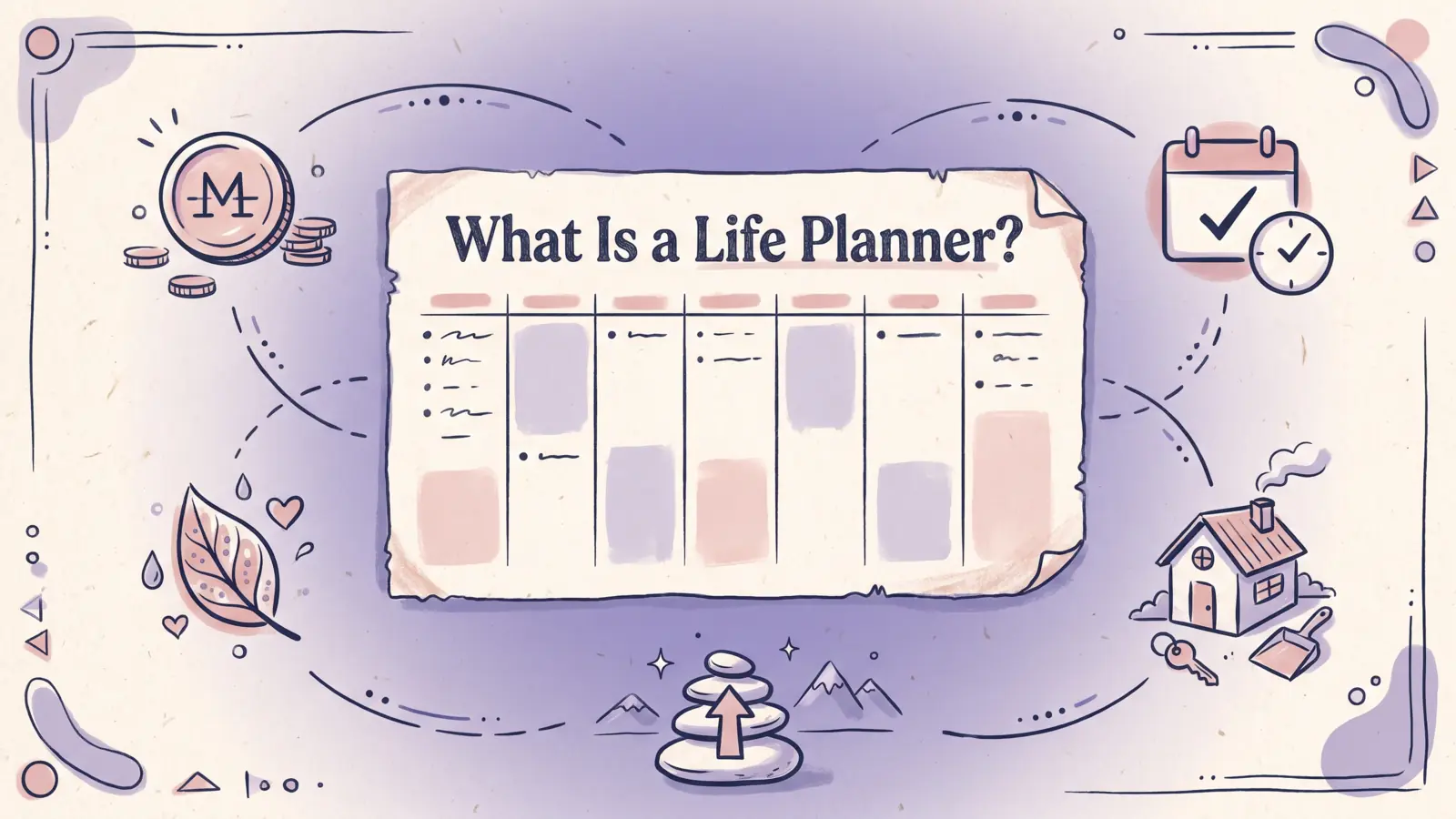
A life planner is a system for reviewing the parts of life that you plan. It can be paper, an app or workspace, a spreadsheet, or a combination. Pick a format that makes the information easy to find and keep current. This article uses the term for a personal planning tool. Professional life-care planning refers to a different service.
It can bring a few plans together, such as dates, tasks, recurring responsibilities, and goals. Leave one-off notes and appointments where they are easy to find. Our life planner guide to choosing a format compares the main options.
Consider the job first. A calendar tracks dates and appointments. A task planner tracks actions. A life planner brings several kinds of plans into one review. Which details do you check together, and where will you keep each one?
Key takeaways
- A life planner combines the plans you review together. It is broader than a calendar or task list.
- Five useful areas to consider are money, time and tasks, health and habits, home routines, and goals.
- A repeat-entry test shows whether the sections work together or just sit beside each other.
- Leave alerts, shared schedules, and quick phone capture in a dedicated tool when those jobs matter.
Life planners at a glance
A life planner brings several kinds of personal planning into one review. Choose a format that fits how you record details and when you need them.
| Tool | Main job | What it may include | Best for |
|---|---|---|---|
| Calendar | Keep dates and appointments visible | Events, deadlines, invitations | Scheduling, alerts, and shared availability |
| Task planner | Track actions that need doing | To-do list, priority, due date | Managing a set of next steps |
| Life planner | Review several areas together | Calendar, tasks, routines, money, goals | Seeing how weekly responsibilities fit together |
| Dedicated apps | Handle one focused activity | Budget, habits, meals, or notes | Mobile entry, reminders, or collaboration |
The name describes the scope of planning, so the format can be paper or digital. Erin Condren's LifePlanner collection, for example, includes dated and undated paper layouts. A digital version might use a workspace or spreadsheet. The structure should fit the person using it.
What does a life planner include?
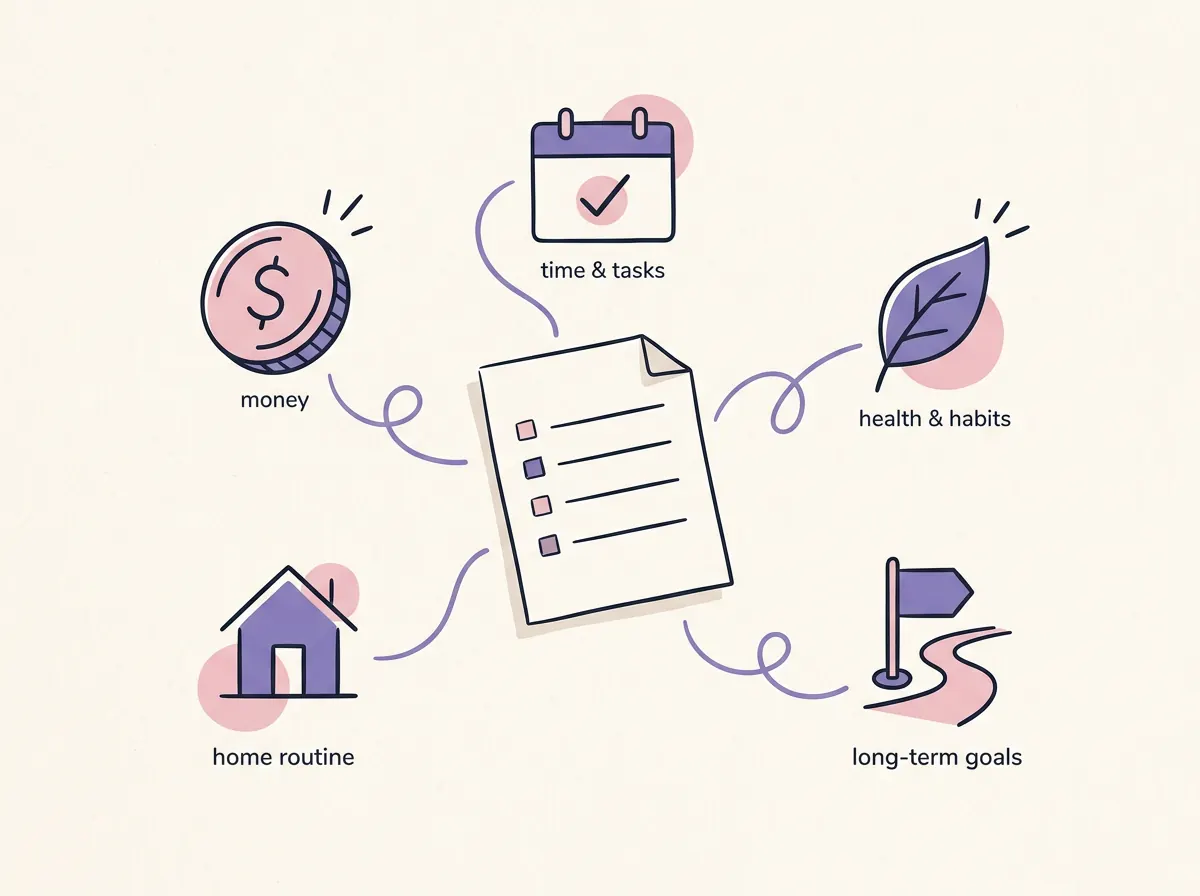
A life planner can cover five areas: money, time and tasks, health and habits, home routines, and goals. Treat these as prompts, not requirements. Include an area when you will use it to decide what to do, remember something recurring, or see a plan at the right time.
| Area | Useful details | A simple review question |
|---|---|---|
| Money | Bills, spending plan, savings target | What needs attention before the next review? |
| Time and tasks | Appointments, commitments, next actions | What must happen this week, and when? |
| Health and habits | A routine or personal measure you chose to track | What do I want to notice or repeat? |
| Home routines | Household tasks, errands, meal notes | What needs doing before the weekend? |
| Goals | A goal, its next step, and a review date | What is one action I can take next? |
In the Bureau of Labor Statistics' 2025 American Time Use Survey, people spent about two hours a day on household activities, including housework and cooking. Table 1 shows household management averaged 0.17 hours a day across the civilian population, about 10 minutes. These population averages are context, not a target for your planner. Home tasks often sit alongside work and personal plans.
A compact planner might hold a calendar, task list, and two goals. Someone managing bills and household routines may need more. Add a health tracker only when you have a clear reason to review its information.
How is a life planner different from a regular planner?
A regular planner often centers on dates and tasks. A life planner may also bring routines, money, or goals into the same review. The difference is scope. Either kind can suit a different routine.
Imagine you are planning the coming week. The calendar has a dentist appointment. Your task list says to call the school. A life planner can show those alongside a bill, a household task, and the next step for a longer goal. Keep the appointment in a calendar that sends the alert you need.
A life planner does not need to hold everything. Keep book lists, old receipts, meeting notes, and grocery lists where you can find them. Put a next action or review date in the planner when it helps you act on that information.
For a short weekly setup, a reusable file can keep months, weeks, and recurring items together. A paper planner can do the same job if handwriting is the part that helps you return to the plan.
How do you choose what to put in one?
Add a detail when it repeats, needs a decision, affects another plan, or is easy to forget. Leave out details that meet none of these conditions. A smaller planner with a clear review routine takes less upkeep than a record of everything.
Try this four-question filter:
- Does it repeat? A monthly bill or weekly household task may be worth keeping visible.
- Will you use it to decide something? A savings target matters if it changes what you plan to spend.
- Does it affect another plan? A work shift may change a meal plan or when an errand fits.
- Will you look for it at a specific time? A task is useful in the week you plan to do it, not buried in a general notes page.
Some details belong in a dedicated app. Keep a shared appointment calendar as the source when other people need to see it. Keep a shopping list in the phone app you open at the store. Your life planner can point to those tools without copying every field.
Start with a single week. Pick a few items you already manage, decide where each current record lives, and note when you will review it. Add another section only after you notice a real gap.
How can you tell if the sections work together?
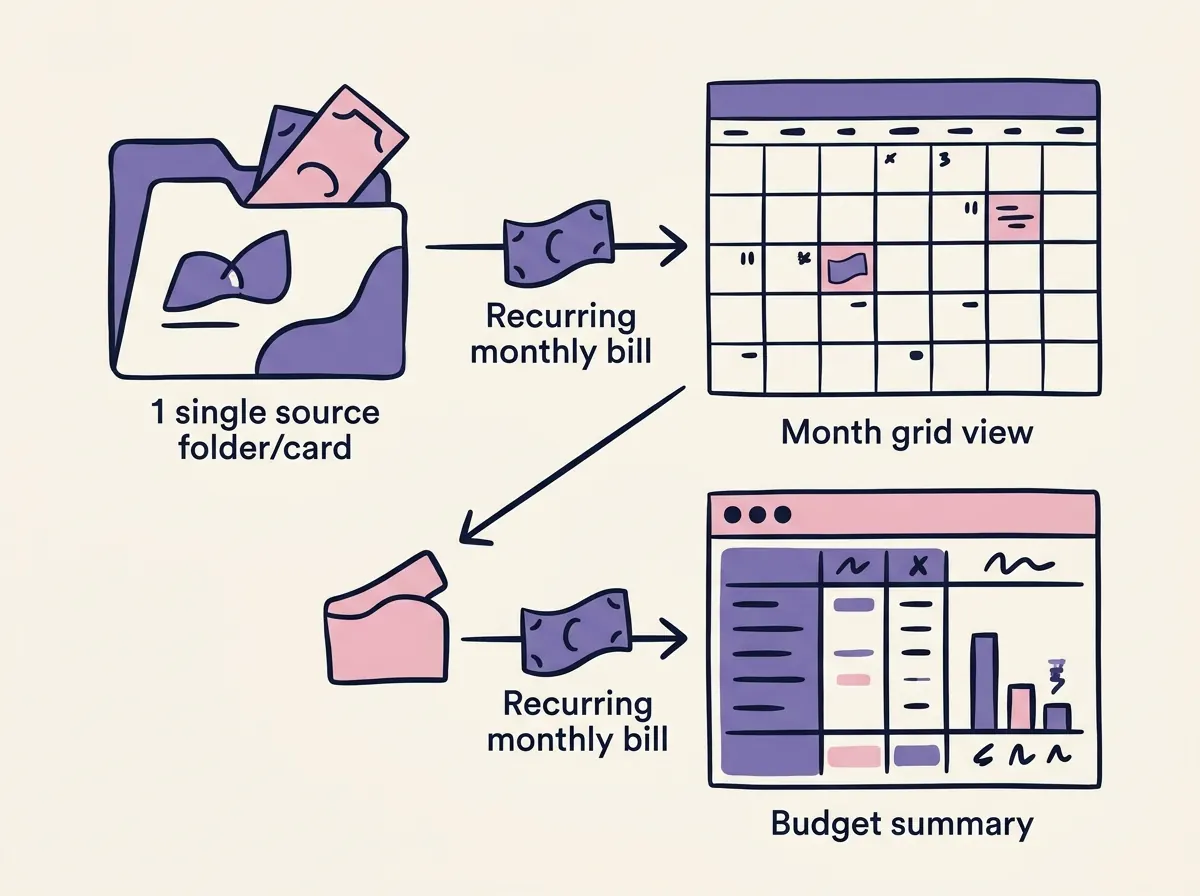
Follow one repeating item from its source to every view where you need it. If the same detail needs to be typed again, the planner holds separate lists. That may still suit you, as long as you know what needs updating.
Use a monthly bill as a test. Identify its source record: the bill name, amount, and due date. Check whether the calendar and monthly plan show that information without another manual entry. If they do, change the date in the source and see whether both views update. This example illustrates the test. It does not describe a specific file.
| Check | Ask | What a clear answer looks like |
|---|---|---|
| Source | Where do I enter the bill? | One named log or calendar entry |
| Repeat | Which views need it? | The next review and due-date view |
| Update | What changes if the date moves? | The source and dependent view stay consistent |
| Routine | When will I look again? | A weekly or monthly check you already do |
A feature count does not show how much upkeep a planner needs. Many tabs still require repeat updates. A smaller file can work when it keeps the source clear and makes the next review easy.
Which format can work as a life planner?
Paper, apps, spreadsheets, and digital workspaces can all support a life planner. Choose by how you capture information, which details need alerts or sharing, and how much setup you want to do yourself.
| Format | Works well when | Check before you commit |
|---|---|---|
| Paper | Writing helps you think and you want a visible page | Rewriting recurring details and doing calculations by hand |
| Apps | You need mobile capture, reminders, or shared updates | Where the current record lives when apps do not connect |
| Spreadsheet | You want tables, calculations, and reusable sections | Whether formulas and tabs are clear to you |
| Digital workspace | You want flexible pages and linked lists | How much setup and upkeep you are willing to do |
Google explains how to create a file from a template in Docs, Sheets, Slides, or Forms. Microsoft provides Excel calendar templates that you can adapt. These templates give you a layout. You decide how your responsibilities fit together.
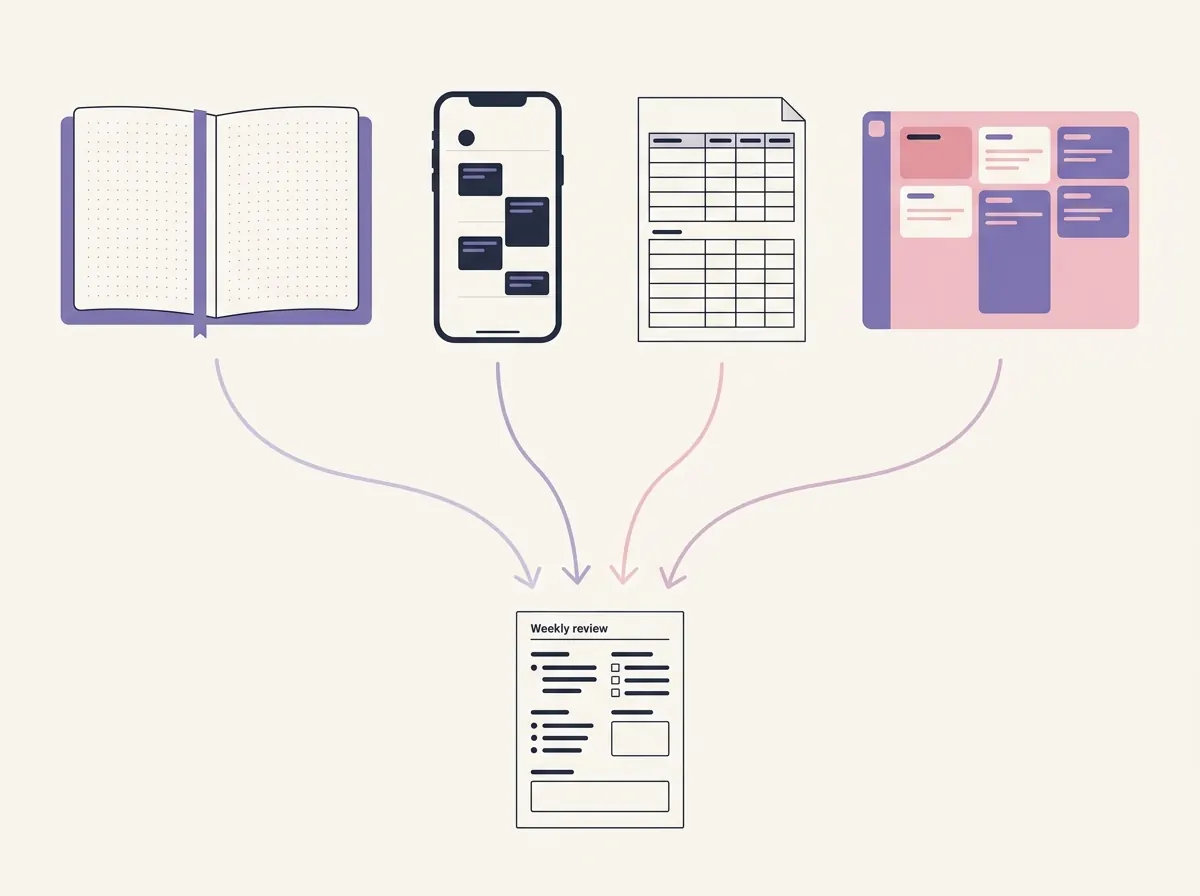
You can use more than one format. A shared calendar can hold appointments and alerts. A paper notebook can hold notes from the day. A spreadsheet can help you review recurring numbers. Name the tool that holds the current version of each detail.
What makes a life planner useful over time?
A useful life planner makes the next review clear and limits upkeep to what you can keep current. In a short weekly check, scan the coming dates, choose next actions, and review the recurring areas you track. Remove sections that do not help you make a decision or remember a plan.
If you miss a review, update what still matters the next time you open the planner. Skip the old notes that no longer help. Start with the next step in front of you.
A clear setup makes it easier to know where to look and what to do next. You might use a paper book, a few apps with clear roles, or a spreadsheet in your weekly routine. Our life planner comparison by format can help you choose a setup.
Why Trust This Article
We are the Cosmo Suite team, and we sell the Ultimate Life Organizer. This is a category guide, not an independent product review. The five-area map and bill route are practical examples, not findings from a user study. Our test method is a repeat-entry check: pick one recurring detail, find its source, and check each view where it should appear. Read about Cosmo Suite and our editorial policy to learn how we prepare and correct articles.
Where the Ultimate Life Organizer Fits
The Ultimate Life Organizer by Cosmo Suite is a $9 one-time bundle with three spreadsheets for Excel and Google Sheets and one Notion template. The files include a Budget Planner, Habit Tracker, Task Tracker, and a Notion template with planning pages for daily through yearly use. They cover budgeting and transactions, recurring habits and annual goals, tasks, and daily-to-yearly planning pages for areas such as wellness and finances. Check the current Ultimate Life Organizer contents against the sections you plan to use.
A ready-made set may help if you want planning pages prepared for you. The bundle is not a mobile app, and it does not send reminders or sync bank accounts. Keep a calendar or focused tool for alerts, shared events, or quick phone updates. If you use spreadsheets, review the planner bundle and its included formats and choose the sections that match your routine.
Frequently asked questions
What is a life planner?
A life planner is a system for keeping plans and recurring responsibilities you review together. It can be a paper book, a digital workspace, a spreadsheet, or a mix of tools. Choose the parts that fit your life.
How is a life planner different from a calendar?
A calendar shows dates and appointments. A life planner may also hold tasks, goals, money records, habits, or household plans. Keep the calendar as the source when you need alerts, invitations, or shared access.
What should I put in a life planner?
Start with details you check often, such as upcoming tasks, bills, routines, or one or two goals. Add a section when it helps you decide or remember a next step. Keep reference material somewhere you can search easily.
Do I need a paper or digital life planner?
Choose based on how you plan. Paper works well if writing by hand helps you think. Digital tools can be easier to search, update, or share. Use a tool with notifications or collaboration when a task needs them.
Can I make a life planner in Google Sheets?
Yes. Sheets can hold dates, lists, and calculations in separate tabs. If you use formulas, check how an entry flows to each summary before relying on it. Google also offers templates to copy and adjust.
How do I start using a life planner?
Pick one recurring responsibility and identify where its current record belongs. Add the view you need for your next review, then try the setup for a week. Keep it if it saves a step. Remove it if it adds upkeep.
Sources
Keep reading
Choose Your Planner
Life Planners That Actually Get Used (Matched to How Many Apps You Juggle)
Life planner options compared: paper, separate apps, Notion and a spreadsheet, with what each costs over three years and which one you'll keep opening.
· 9 min read
Choose Your Planner
6 Best Life Planners Worth Trying in 2026, by Format and Real Cost
Best life planner picks for 2026: Erin Condren, Passion Planner, Notion, apps, Google Sheets and a $9 file, with prices checked 8 Oct 2026 and who each suits.
· 9 min read
Choose Your Planner
All-in-One Planner vs Separate Apps in 2026: Which Fits You?
Compare a one-place planner with a five-app household setup, including current annual prices, trade-offs, and a one-week test for choosing.
· 8 min read
